Avoiding viruses
Top ten tips to avoid losses caused by viruses (and other nasties). Note that running anti-virus software is low on the list compared to some much more important steps.
- Never open attachments (this includes joke emails) under ANY circumstances UNLESS someone is sending you a file that you WANT on your computer AND you are expecting that file from that person. If someone sends you a file that you are not expecting be suspicious and DO NOT OPEN unless you are sure it was really from them (and not a virus using their email address). See below for particularly dangerous file types. This goes for files sent by instant message software as well.
- Be sure that any critical information is being backed up routinely – to a CDROM/DVD or to another hard drive, perferably automatically and daily.
- If you suspect you have a virus, they can disable the anti-virus software you have installed, so in this case do a manual virus scan at Housecall, or Norton Anti-virus Scan.
- If you are on cable internet, make sure file and print sharing is off and you are running a firewall unless you are behind a router (and even better – get a router – they are cheaper than recovering from a virus).
- Do not visit websites from spam email advertisements.
- For Word attachments you can use Wordpad (included with Windows) to open them and this will display almost all advanced formatting in Word, but will not allow viruses to run. To do this, save the attachment then hold down shift and right click on the file and “Open With…” then select Wordpad.
- Go to www.windowsupdate.com regularly and download all service packs, critical, and security updates (you may have to reboot several times) – you need to do this EVEN if you subscribe to automatic updates. You also need to visit www.officeupdate.com (separately).
- Run anti-virus software, such as Avast (free). Be sure to have it updating automatically every couple of days and scanning daily.
- Use a tool such as MailWasher (FreeWare) to intervene before a virus even makes it to your inbox. This particular tool has the added feature of you being able to bounce emails back to spammers which is the best way to get off of spammers’ lists.
- Use a tool such as Spybot Search and Destroy (FreeWare) or Ad-Aware (FreeWare) to remove SpyWare from your computer – ideally, run both.
Life Seminars
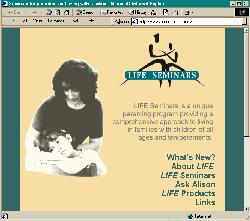
The client’s situation: Dr. Allison Rees is a Parent Educator who runs her business from home. The computer she uses was running slowly, files were scattered and getting lost, she needed anti-virus protection, and a system for backing up her files. The website for LIFE Seminars, which is the Parent Education company run by Allison’s partner Dr. Alison Miller also needed revamping and updating.
MoreThanSolution: We were able to address all of the items on Allison’s home computer – in less than two hours. We removed some programs that started up automatically, using system resources, but that Allison never used. We showed Allison how to clean up and organize her files. We added anti-virus protection and set it up to update itself automatically. And finally, we set up a simple backup system consisting of installing a small spare hard drive and writing an automated task to back up everything of importance: Allison’s documents, emails, contacts, and internet favourites. Since it is physically on a separate hard drive, Allison is protected from not only accidental deletion or over-writing of files, but also from hard drive failure.
The LIFE Seminars website is actually the reason MoreThanSolutions was started. LIFE Seminars had a hard time finding a computer consulting company they could trust and that could offer a wide package of services. When we found that out, we decided we should make one.
Client says: “I feel so relieved to know that my work is secured. Even though I spend hours everyday on my computer there is so much that I don’t understand about it. If my computer had crashed before, I would have lost everything so it felt like I was walking on a tightrope. The reorganization of my programs and files has saved me a ton of time. Such a tiny investment for such an important part of my working life!”, Allison Rees.